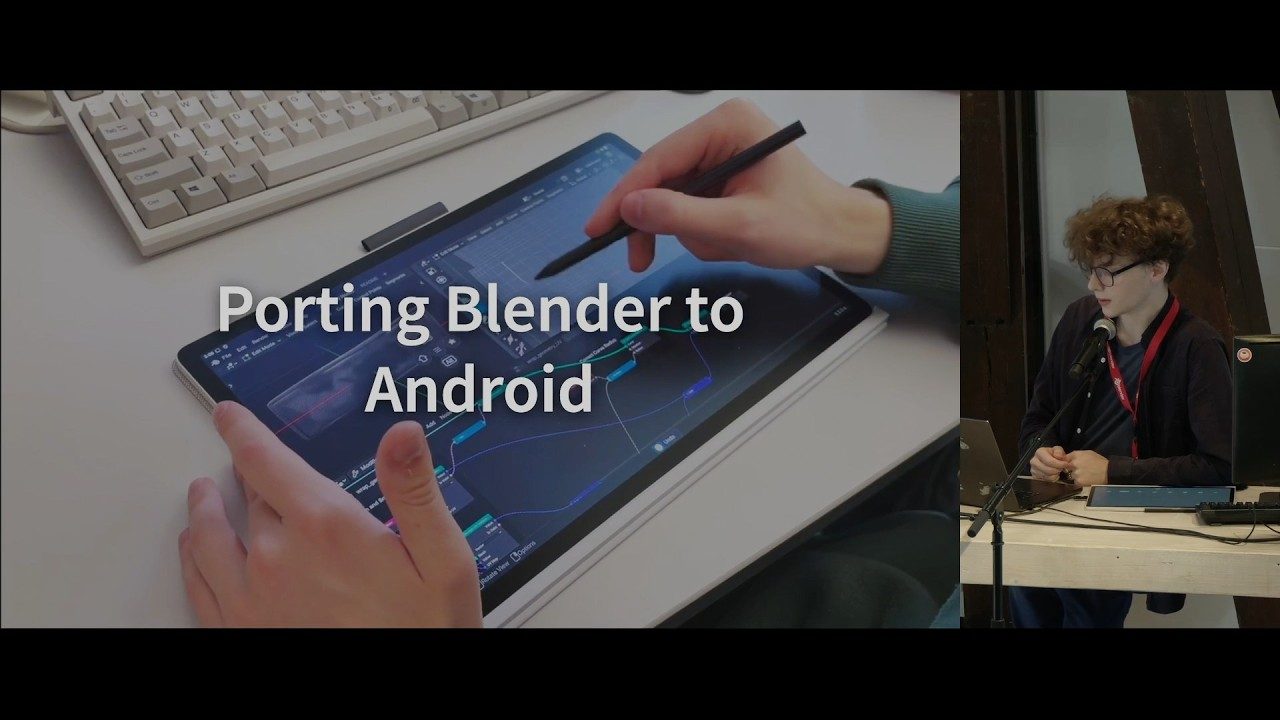
Somebody ran Blender 5.3 on a Wacom Android tablet at the Blender Conference last week, and the clip is doing the rounds with the word “finally” attached to it. The conference ran 23 to 25 September at Felix Meritis in Amsterdam, and one of its talks — Jonas Holzman on porting Blender to Android — is the reason the clip exists.
Worth separating two things that are being treated as one. There are unofficial Android builds of Blender, and have been for a while: one-person projects, packaged as an APK, no support and no endorsement from the Blender Foundation. Digital Production looked at one of those in mid-2025 and called it ported rather than polished, which was fair. Separately, and more slowly, there is an upstream patch.
The patch is mostly a build system
Pull request 164188, titled WIP: Android: Initial Platform Support, does what
its name says and not much more. It makes Blender and its dependencies build and
launch on an Android device. It also, in passing, gives Blender’s build system
general cross-compilation support, which is the part with a future.
The launch path is the bit I find funny. An Android C++ application gets compiled with the NDK into a shared library, and a Java Activity loads that library over JNI and calls a single entry point. So Blender on a tablet is Blender, unchanged in any way that matters, wearing a thin Java coat so Android will agree to start it.
Windowing goes through GHOST, Blender’s own abstraction over whatever the platform calls a window. There is a GHOST backend built on SDL, and it has just been moved from SDL2 to SDL3 with the video and windowing subsystem switched on so it can be driven directly. Android inherited that migration; it was made for other reasons and arrived in time to be useful.
This is how ports usually go. The visible work is a screenshot of a viewport on a tablet; the actual work is eighteen months of somebody making the abstraction layers honest.
What is missing is specific
The dependency set is described as complete — every Blender feature present — with two named gaps. OIDN, Intel’s Open Image Denoise, is not available. And some Python modules fail to load.
Neither is cosmetic. The denoiser is the difference between a Cycles preview you can judge and a Cycles preview you squint at, and it matters most on exactly the kind of hardware that cannot brute-force the samples. Python modules failing to load means add-ons, and Blender without add-ons is a smaller tool than the one people actually use. If you work the way most of us do, half your shelf is Python.
There is also a cross-compilation wrinkle: building the Android dependencies is currently only supported on macOS. Linux would probably work with testing done. That is a contributor problem rather than a user problem, but it narrows the pool of people who can help.
The community builds tell you what the hardware floor looks like. arm64-v8a only, Android 12 or newer, and Vulkan required with no OpenGL ES fallback — a device without Vulkan does not start the app at all. That last one is a choice rather than an oversight. Blender’s renderer never fully supported OpenGL ES, and shipping a second-class GL path for phones would mean maintaining two viewport backends forever. Vulkan or nothing is the cheaper answer, and it is the same reasoning behind what 5.2 LTS changed and what it left alone.
The input question nobody has answered
Here is what a tablet build has to solve eventually, and what no amount of build-system work touches.
Blender’s interface is a keyboard interface with a mouse attached. Middle-drag to orbit. Shift-middle to pan. Hover, because a dozen operators read the region under the cursor before they do anything. G, R, S, then a modifier, then a number typed blind. Tab. That is a two-handed instrument, and it is fast precisely because it is.
A pen gives you one point of contact and a pressure curve. Good pens report tilt and a barrel button. That is not three mouse buttons, and it is not a keyboard. You can map gestures — two fingers to orbit, three to pan, everyone who has shipped a mobile DCC has landed somewhere near that — and you still have to decide what happens to the modifier keys, which is where the tool’s whole speed lives.
The unofficial builds also have a problem worth knowing about: lock the device or switch apps and it needs restarting, which can lose work. That is a surface-lost-and-recreated bug, the standard one, and it will get fixed. It is also a good reminder that a tablet is a phone with a bigger screen and it will suspend your renderer whenever it likes.
What I would use it for
Not modelling. Not for a while.
Review, though. Opening a .blend on a train to check whether the lighting pass reads at all, scrubbing a cache, looking at a shot at the scale you will actually judge it. Sculpting with a pen, once the brush path is solid, because that is the one Blender task where a pen beats a mouse outright and the interface is already mostly a single-contact interface. The same logic that made on-device 3D scanning without the cloud useful applies here: the thing in your bag stops being a dead end for the small jobs, and the workstation keeps the big ones.
The honest state of it
Confirmed: BCON26 ran 23–25 September 2026 in Amsterdam; a talk on the Android Platform Support project was given there by Jonas Holzman; pull request 164188 exists upstream as work in progress and covers build infrastructure and basic Android integration; the GHOST SDL backend has moved to SDL3; OIDN is absent from the Android dependency set and some Python modules do not load; community builds require arm64, Android 12 and Vulkan.
Not confirmed: whether the Blender Foundation has released an Android build of its own. The coverage is loose on this and the wording varies between “official APK” and “experimental, unsupported”, which are not the same claim. The patch upstream is still marked WIP, so if there is a Foundation build, it is a test build and should be treated as one. Also unconfirmed: which Wacom tablet the clip was recorded on, and any target version for Android landing in a release.
If you want to try it on a device you care about, back the file up first and open a copy.