Hold a cut stone up to a window and the light coming out of it is white nowhere. Red leaves at one angle, blue at another, and the spread between them is most of what makes the thing look expensive. Glass does the same with less drama. That spread is dispersion, and it exists because the refractive index of a material is a function of wavelength rather than a single number — which is awkward, because a single number is exactly what every renderer’s IOR field asks you for.
A developer going by Immineal put out Caustify this week: a spectral dispersion path tracer that runs in a browser tab. WebGL2, nothing to install, four preset scenes — a prism, a cut gemstone, a biconvex lens, and the obligatory Cornell box.
Per path it picks one random wavelength between 380 and 780 nanometres, refracts it through the glass with Cauchy’s equation, and follows it. Thousands of paths per pixel accumulate. Only at the end does any of it become a colour, converted through the CIE 1931 colour matching functions.
The comparison everyone is making is out of date
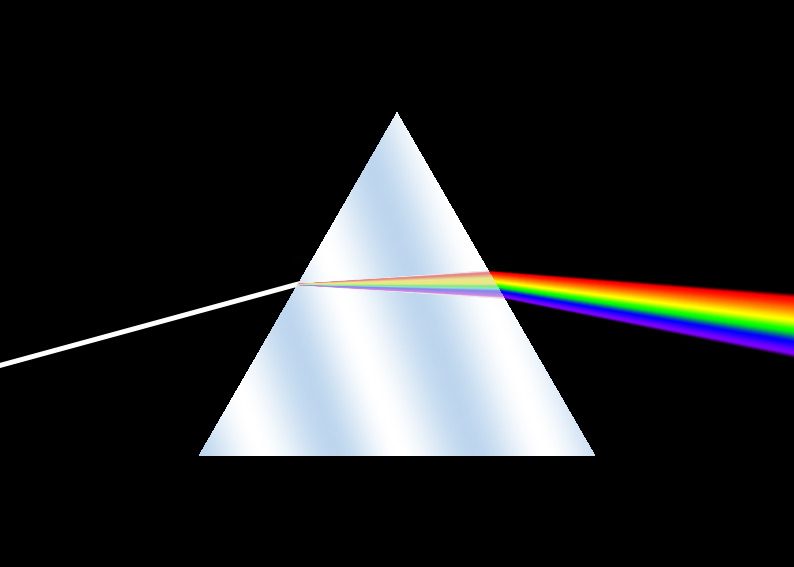
The framing going round with it is that Cycles fakes dispersion by nudging the IOR per RGB channel. That described what artists did, for about a decade: split the glass into three BSDFs, offset each one’s IOR a hair, mix them back together. Everyone who renders glass has a node group for it sitting in an asset library somewhere.
Blender has native dispersion now. It went into the Principled BSDF and is in the 5.3 builds — alpha until the end of September, so this is a thing you can grab today and not a thing you can ship on. And the implementation is much closer to Caustify than to the node group.
Cycles samples one wavelength per path too. When a path meets a dispersive surface, a random number stored in the shader data — the same number for the whole path — picks a wavelength, and that wavelength drives the IOR lookup for the refraction. Two controls: Abbe Number, the standard optical measure of how hard a material splits light, and Dispersion Scale for pushing it past physical. Both of those names come from the OpenPBR direction Blender has been walking in for a while now, the same one that brought ACES colour management into 5.2.
So what is still RGB about it
The difference is in what the path carries.
Caustify carries a wavelength. Throughput stays a single scalar through the whole bounce chain and becomes a colour once, at the end, against the CIE curves. Cycles picks the wavelength for the refraction and then immediately multiplies the path throughput by the RGB value for that wavelength, and carries on as an RGB renderer. Refraction is wavelength-aware. Transport isn’t.
For nearly all production work that is the right call, and not only for speed. Going fully spectral drags in a problem nobody enjoys: your textures are RGB, so every albedo has to be uplifted into some plausible reflectance spectrum before it can be multiplied by anything. There are several accepted ways to do that and they disagree with each other. You would be inventing spectral data to feed a renderer that then integrates it back down to three numbers for display.
Where the shortcut shows is saturated coloured glass with several bounces inside it — a green bottle, a thick red gel — where the real answer depends on the whole spectrum surviving each interaction and the RGB answer drifts. It is the same failure as the one behind CG that won’t sit in the plate: three numbers are a summary of a continuous thing, and summaries compound badly when you multiply them repeatedly.
Turn it on and your render gets noisier
Worth knowing before the night before a deadline. One wavelength per path means every sample carries one narrow slice of the spectrum, and the smooth rainbow you are after is the average of thousands of those slices. So the caustic under the gem converges slowly. Crank the dispersion and it converges slower still, with fireflies in the coloured fringes as the standard way it goes wrong. Nothing about the frame got more expensive per sample. You just need a lot more samples to get the same clean image, which amounts to the same thing at 3am.
A starting number, since the scale runs the wrong way round from what you would guess: BK7 crown glass sits near an Abbe of 64, dense flint nearer 36. Lower number, more spread. If you type 64 expecting fireworks you will get a faint edge and conclude the feature is broken.
The toy is the useful part
Caustify is a toy and doesn’t pretend otherwise — four fixed scenes, no mesh import, Schlick’s approximation standing in for the full dielectric Fresnel equations. The dispersion maths under it is real, though, and dragging a slider and watching a caustic redistribute across the floor teaches the thing faster than a page of it written down. Small free graphics tools keep arriving from one person with a specific itch, and this is a good one.
Worth an afternoon in a browser tab before you go turning Abbe numbers down in a scene you actually have to deliver.